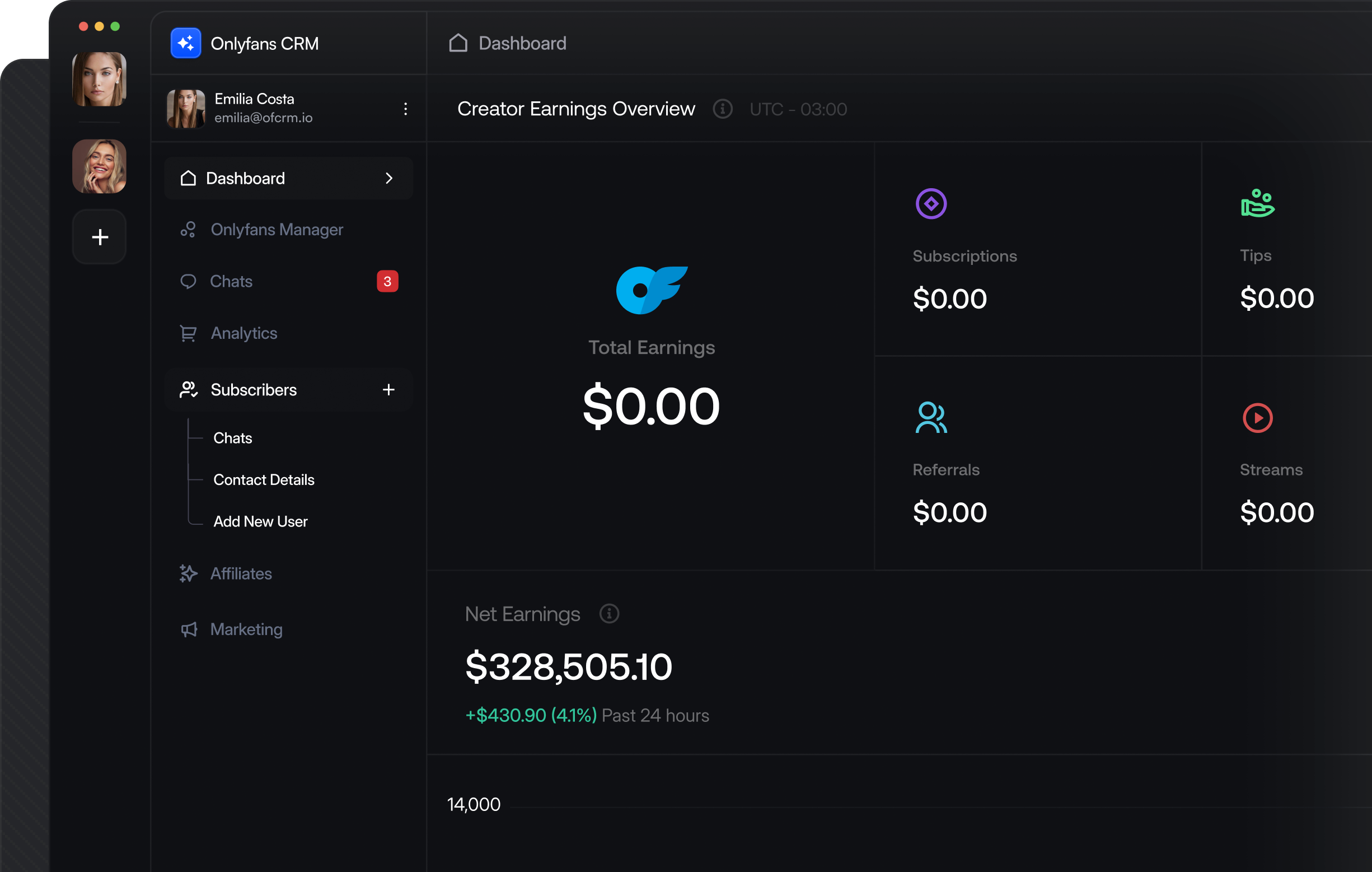
[OnlyFans CRM API]
Build Your Own OnlyFans CRM with a Complete API BackendEverything you need to build a CRM like Infloww, CreatorHero, or OnlyMonster. Embeddable auth via our NPM package, full chat and messaging endpoints, media upload and download, fan management, and real-time webhooks — all production-ready.
[API ENDPOINTS & WEBHOOKS]
How Your CRM Connects to OnlyFansCreators authenticate inside your app via our NPM package. Their account data, chats, and media flow through your CRM in real time.
Creator Auth
@onlyfansapi/auth opens a secure modal in your app
Account Connected
You get the account ID and profile data
Your CRM
Chats, fans, media, and revenue via API
Live Webhooks
Messages, subs, and payments in real time
[CHAT PERFORMANCE INSIGHTS]
The Chat Metrics That Separate Top Agencies from Everyone ElseRevenue does not start at the payment. It starts in the conversation. These are the chat workflows that the highest-earning agencies measure, optimize and repeat.
Embeddable Creator AuthenticationLet creators connect their OnlyFans account directly inside your CRM. Our @onlyfansapi/auth NPM package opens a secure modal with iframe-based auth, handles 2FA, and returns the account ID.
WEBHOOKaccounts.connected
Fires when a creator successfully connects their OnlyFans account.
POSTnpm install @onlyfansapi/auth
Zero-dependency NPM package for embedded OnlyFans authentication.
Full Chat & Messaging SystemBuild a complete inbox inside your CRM. List chats, read message history, send text and PPV messages, show typing indicators, and search conversations.
WEBHOOKmessages.received
Fires on every incoming fan message with full content and sender data.
POST/api/{account}/chats/{chat_id}/messages
Send messages — text, media, or PPV with pricing.
Media Upload & DownloadUpload photos and videos to the OnlyFans CDN, manage the vault with lists, and download media using CDN URLs. Complete media pipeline for your CRM.
WEBHOOKmessages.ppv.unlocked
Fires when a fan unlocks paid content to track PPV revenue.
POST/api/{account}/media/upload
Upload files or URLs to the OnlyFans CDN for messages and posts.
Fan Management & SegmentationList all fans with spending data, create custom user lists, add notes and custom names, and track subscription history for a complete CRM view.
WEBHOOKsubscriptions.new
Fires whenever a fan subscribes so your CRM can automatically create or update the contact.
POST/api/{account}/fans/all
Retrieve every fan with a complete spending breakdown.
Revenue & Analytics DashboardPull transaction history, earnings breakdowns, subscriber metrics, and financial forecasts. Build dashboards that rival the native OnlyFans analytics.
WEBHOOKtransactions.new
Fires for every payment including subscriptions, tips, PPV purchases, and streams.
POST/api/analytics/summary/earnings
Get earnings overview grouped by category across connected accounts.
Content PublishingCreate and schedule posts, manage stories, labels, and archives. Let creators publish content directly from your CRM.
WEBHOOKposts.liked
Fires when a fan likes a post so you can measure engagement.
POST/api/{account}/posts
Create and schedule posts with media, captions, and publishing options.
[DEVELOPER QUICKSTART]
Ship Faster with Real Code ExamplesEmbed auth with our NPM package, build a chat inbox, and manage fan profiles — copy these into your project.
Use the @onlyfansapi/auth NPM package to let creators connect their OnlyFans account inside your CRM. Zero dependencies, framework-agnostic, full TypeScript support.
// npm install @onlyfansapi/auth
import { startOnlyFansAuthentication } from '@onlyfansapi/auth';

// Step 1: Create a client session on your backend
const sessionResponse = await fetch(
  'https://app.onlyfansapi.com/api/client-sessions',
  {
    method: 'POST',
    headers: {
      'Authorization': 'Bearer sk_your_api_key',
      'Content-Type': 'application/json'
    },
    body: JSON.stringify({
      client_reference_id: 'user_123_in_your_db'
    })
  }
);
const { token } = await sessionResponse.json();

// Step 2: Open the auth modal in the browser
startOnlyFansAuthentication(token, {
  onSuccess: (data) => {
    // data.accountId = "acct_XXXX"
    // data.username = "creator_username"
    // data.onlyfansData = { id, username, email, avatar_url, name }
    console.log('Connected:', data.accountId);

    // Save to your database
    await db.creators.create({
      accountId: data.accountId,
      username: data.username,
      email: data.onlyfansData.email,
      avatarUrl: data.onlyfansData.avatar_url,
    });
  },
  onError: (error) => {
    console.error('Auth failed:', error.message);
  }
});`,
    },
    {
      id: 'chat-inbox',
      title: 'Build a Chat Inbox',
      description:
        'List all chats for a creator, fetch message history per chat, and send replies — everything needed for a CRM inbox view.',
      code: `// List all chats for a creator
const chatsResponse = await fetch(
  'https://app.onlyfansapi.com/api/acct_XXXX/chats',
  {
    headers: {
      'Authorization': 'Bearer sk_your_api_key',
      'Content-Type': 'application/json'
    }
  }
);
const chats = await chatsResponse.json();

// Get messages for a specific chat
const messagesResponse = await fetch(
  'https://app.onlyfansapi.com/api/acct_XXXX/chats/' + chatId + '/messages',
  {
    headers: {
      'Authorization': 'Bearer sk_your_api_key',
      'Content-Type': 'application/json'
    }
  }
);
const messages = await messagesResponse.json();

// Send a reply from the CRM
await fetch(
  'https://app.onlyfansapi.com/api/acct_XXXX/chats/' + chatId + '/messages',
  {
    method: 'POST',
    headers: {
      'Authorization': 'Bearer sk_your_api_key',
      'Content-Type': 'application/json'
    },
    body: JSON.stringify({
      text: 'Thanks for your message! 💕'
    })
  }
);

// Send a PPV message with media
const mediaResponse = await fetch(
  'https://app.onlyfansapi.com/api/acct_XXXX/media/upload',
  {
    method: 'POST',
    headers: {
      'Authorization': 'Bearer sk_your_api_key',
      'Content-Type': 'application/json'
    },
    body: JSON.stringify({
      file_url: 'https://your-cdn.com/exclusive.mp4'
    })
  }
);
const media = await mediaResponse.json();

await fetch(
  'https://app.onlyfansapi.com/api/acct_XXXX/chats/' + chatId + '/messages',
  {
    method: 'POST',
    headers: {
      'Authorization': 'Bearer sk_your_api_key',
      'Content-Type': 'application/json'
    },
    body: JSON.stringify({
      text: 'Something special just for you 🔥',
      price: 14.99,
      mediaFiles: [media.data.id]
    })
  }
);`,
    },
    {
      id: 'fan-crm-view',
      title: 'Fan CRM View',
      description:
        'Build a complete fan profile view: spending data, subscription history, notes, custom tags, and user list membership.',
      code: `// Get fan profile with full spending breakdown
const fanResponse = await fetch(
  'https://app.onlyfansapi.com/api/acct_XXXX/users/' + fanUsername,
  {
    headers: {
      'Authorization': 'Bearer sk_your_api_key',
      'Content-Type': 'application/json'
    }
  }
);
const fan = await fanResponse.json();
// fan.data.subscribedOnData = {
//   totalSumm, messagesSumm, tipsSumm,
//   postsSumm, streamsSumm, subscribesSumm
// }

// Get subscription history
const historyResponse = await fetch(
  'https://app.onlyfansapi.com/api/acct_XXXX/fans/' + fan.data.id
    + '/subscriptions-history',
  {
    headers: {
      'Authorization': 'Bearer sk_your_api_key',
      'Content-Type': 'application/json'
    }
  }
);
const history = await historyResponse.json();

// Set custom name (CRM display name)
await fetch(
  'https://app.onlyfansapi.com/api/acct_XXXX/fans/' + fan.data.id + '/custom-name',
  {
    method: 'PUT',
    headers: {
      'Authorization': 'Bearer sk_your_api_key',
      'Content-Type': 'application/json'
    },
    body: JSON.stringify({
      customName: 'VIP Whale - $' + fan.data.subscribedOnData.totalSumm
    })
  }
);

// Add fan notes
await fetch(
  'https://app.onlyfansapi.com/api/acct_XXXX/fans/' + fan.data.id + '/notes',
  {
    method: 'PUT',
    headers: {
      'Authorization': 'Bearer sk_your_api_key',
      'Content-Type': 'application/json'
    },
    body: JSON.stringify({
      note: 'High spender. Prefers exclusive content. '
        + 'Last tip: $50 on 2025-03-15.'
    })
  }
);

// Add to a user list for segmentation
await fetch(
  'https://app.onlyfansapi.com/api/acct_XXXX/user-lists/vip_list_id/users',
  {
    method: 'POST',
    headers: {
      'Authorization': 'Bearer sk_your_api_key',
      'Content-Type': 'application/json'
    },
    body: JSON.stringify({
      userIds: [fan.data.id]
    })
  }
);
[CHAT AUTOMATION USE CASES]
Real Webhook-Driven Chat Automation Use CasesEach use case shows the webhook trigger and the API call to make. Build AI chatbots, welcome sequences, and upsell flows.
API
Endpoints
POST
/api/client-sessions
Create client session for embedded auth
POST
/api/authenticate
Start authentication flow
GET
/api/authenticate/{attempt_id}
Poll authentication status
PUT
/api/authenticate/{attempt_id}
Submit 2FA code
GET
/api/{account}/chats
List all chats
GET
/api/{account}/chats/{chat_id}/messages
List messages in a chat
POST
/api/{account}/chats/{chat_id}/messages
Send message (text/media/PPV)
GET
/api/{account}/chats/{chat_id}/messages/search
Search messages in a chat
POST
/api/{account}/chats/{chat_id}/typing
Show typing indicator
GET
/api/{account}/chats/{chat_id}/media
List media in a chat (gallery)
POST
/api/{account}/media/upload
Upload media to OnlyFans CDN
GET
/api/{account}/media/download/{cdnUrl}
Download media from CDN
WEBHOOK
Webhook Events
EVENT
accounts.connected
Creator connects their OnlyFans account via your embedded auth.
EVENT
accounts.reconnected
Creator reconnects after session expiry.
EVENT
accounts.authentication_failed
Session expired and auto-reconnect failed — prompt re-authentication.
EVENT
messages.received
New incoming fan message — update your CRM inbox in real time.
EVENT
messages.sent
Outgoing message confirmed — sync sent status in your CRM.
EVENT
messages.ppv.unlocked
Fan unlocked PPV content — track revenue per message.
EVENT
subscriptions.new
New subscriber — automatically create a fan profile in your CRM.
EVENT
subscriptions.renewed
Subscription renewed — update lifecycle status.
EVENT
transactions.new
Payment received — update fan spending and revenue analytics.
EVENT
tips.received
Fan sent a tip — update fan profile and trigger notifications.
[faq]
Building an OnlyFans CRM — Frequently Asked QuestionsCommon questions about using OnlyFans API as your CRM backend.
Do you have more questions?
[build your crm faster]
Build the Next Great OnlyFans CRM. We Handle the Infrastructure.Start free. Ship your first auth flow and inbox in a day.